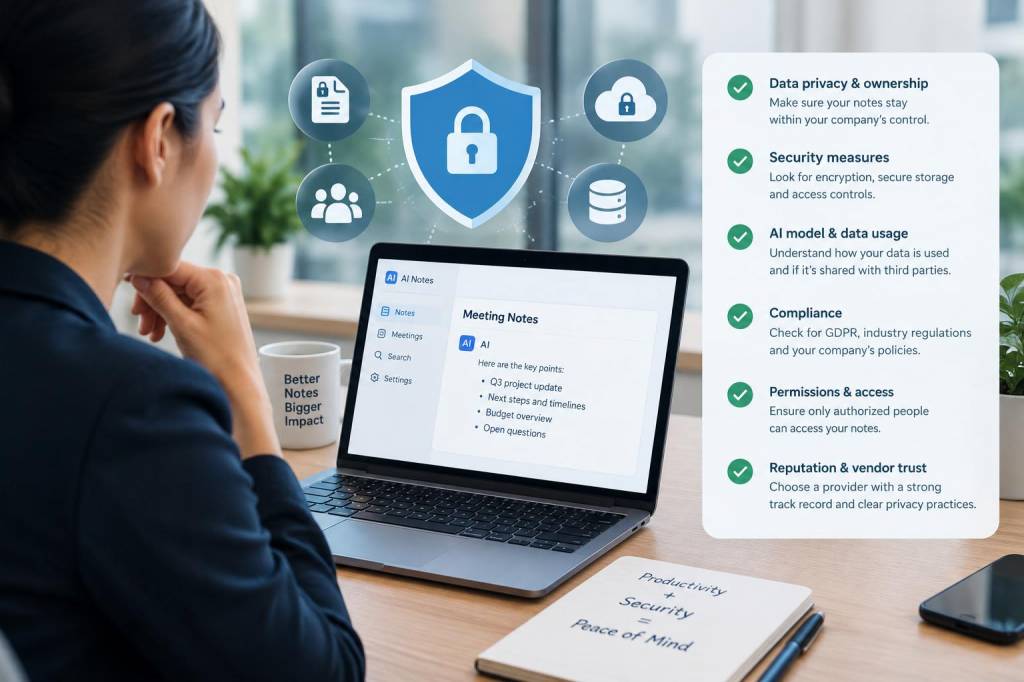
I have watched a lot of teams rush into AI note-taking apps because they promise speed, cleaner meeting records, and less manual follow-up. I understand the appeal. When a meeting moves fast, an app that records, summarizes, and assigns action items can feel like a quiet superpower. But at work, I never treat convenience as a free pass. If an AI note-taking app will sit in meetings where private company data is discussed, I check a few things first, because a careless setup can expose strategy, customer details, financial information, and even employee data.
What worries me most is that many people assume a note-taking app is just a digital notebook. It is usually more than that. It may record audio, transcribe speech, store files in the cloud, train or improve models, share data with subprocessors, and connect to calendars, video platforms, and task tools. Each connection creates a new point of risk. If I am going to let an AI system listen in on work conversations, I want to know exactly where the information goes, who can access it, and what happens if something goes wrong.
Start with a clear data map
Before I use any AI note-taking app in a work setting, I ask a simple question: what data will this app capture? That sounds obvious, but many teams skip it. A tool may record full audio, detect speakers, store transcripts, save meeting summaries, extract action items, and keep metadata such as names, email addresses, time stamps, and meeting links. In some cases, it may also store uploaded files or shared screen content.
I like to map out the exact categories of information that may pass through the app:
- Meeting audio and video
- Live transcripts and saved summaries
- Participant names, email addresses, and calendar details
- Shared documents, slides, and chat messages
- Action items, decisions, and project notes
- Customer, employee, or financial details mentioned during calls
If a tool touches any of these items, I want to know whether the business has approved that level of use. A small planning meeting may look harmless, but a casual comment can still reveal roadmap plans, vendor pricing, legal issues, or contract terms.
Read privacy terms with a skeptical eye
I never rely on a sales page alone. I read the privacy policy, data processing terms, and security documentation. That is where the real story usually appears. I look for language about data retention, model training, third-party sharing, and user rights. If a vendor says it may use customer content to improve services, I want to know whether that includes transcripts, summaries, and audio recordings. If I cannot opt out, I consider that a serious warning sign.
I also check whether the vendor acts as a processor or a controller, because that changes responsibility. If the company keeps ownership of the content but the vendor can use it for broad product improvement, that is not the same as a locked-down enterprise service. I pay close attention to phrases like for service improvement, to personalize results, or shared with affiliates, because those phrases can hide broad reuse rights.
Another thing I watch for is retention length. If recordings are stored indefinitely by default, I do not like that. I prefer a system with short retention periods, clear deletion tools, and an admin setting that allows our organization to remove data when it is no longer needed.
Check whether enterprise controls are actually available
Many AI note-taking apps market themselves as business-ready, but I want to know whether they offer real administrative control or just a prettier consumer product. At work, I need more than a login and a shared folder. I want role-based access, workspace management, audit logs, single sign-on, and the ability to restrict who can invite the bot into meetings.
In practice, I look for these controls:
- Single sign-on and centralized identity management
- Role-based permissions for admins, managers, and users
- Audit logs showing who accessed which notes and when
- Meeting-level or team-level controls for recording and transcription
- Deletion tools for recordings, transcripts, and summaries
- Support for legal hold or retention policies if needed
If an app cannot show me those basics, I assume it is not ready for sensitive work. A friendly interface is not a security feature. I have seen tools that make sharing incredibly easy, which is useful for collaboration and dangerous for private information at the same time.
Understand what happens during model processing
One of the biggest questions I ask is whether a vendor processes data only to produce notes, or whether it also uses content to improve its AI models. That distinction matters a lot. If a meeting transcript enters a broader training pipeline, I want strong safeguards around anonymization, access, and retention. I also want a clear explanation of whether human reviewers can see any part of the content.
Some apps promise that enterprise data is not used for training by default, but I still verify the details. I check whether the promise applies to all plans or only certain tiers. I also look for separate settings for audio, text, and uploaded documents. A company may disable training on transcripts but still allow analysis of metadata or user behavior. I want the full picture, not a partial promise.
If the vendor uses external model providers, I want to know who those providers are and where data is sent. Even if the main vendor has solid controls, downstream providers can change the risk profile. I also ask whether data is stored in a specific region, because cross-border transfers can introduce legal and compliance issues.
Review integrations with other work tools
AI note-taking apps often connect to calendars, video platforms, document systems, and task managers. I see that as both a convenience and a possible leak path. A calendar integration may expose meeting titles, attendees, and recurring schedules. A document integration may surface files that were never meant to be summarized by AI. A task integration may push sensitive action items into a less secure space.
I only approve integrations after I check what permissions they request. If an app wants broad access to read all meetings, all files, or all chats, I pause. I prefer a narrow permission model, where the tool only sees what it truly needs. I also ask whether integrations can be disabled per team, because some departments handle much more sensitive material than others.
My rule is simple: if the app connects to more systems, I need more clarity, not less.
Ask about encryption and access protection
Encryption is one of those topics people mention quickly and then stop explaining. I do not stop there. I ask whether data is encrypted in transit and at rest, whether keys are managed by the vendor or by the customer, and whether there is support for advanced key controls. If a vendor cannot explain protection in plain language, I do not trust the setup.
I also care about access security on the user side. Even a well-built app can become risky if people reuse weak passwords, leave accounts open on shared devices, or export notes to unsecured folders. I want multi-factor authentication turned on, device policies in place, and clear rules for downloading or forwarding transcripts.
When I review a tool, I ask myself a practical question: if this account were compromised, what would an attacker see? If the answer is a full archive of leadership meetings, client calls, and strategic plans, I know the tool needs stronger guardrails before wider use.
Confirm recording rules for every meeting type
Not every meeting should be treated the same way. I think it is a mistake to apply one blanket policy to all calls. A routine team check-in may be fine for AI notes, while a legal discussion, merger conversation, HR matter, or customer escalation may require a different process entirely.
Before using an app, I check whether our company has rules for:
- Executive meetings
- Client and prospect calls
- Human resources conversations
- Legal and compliance reviews
- Finance and strategy sessions
- Vendor negotiations and pricing talks
I also want a visible consent process. Everyone in the room should know when recording or transcription is active. If external guests are present, I expect a clear notice. In some cases, I prefer a manual start rather than an automatic join, because automation can create awkward mistakes when a sensitive meeting begins.
Test export, deletion, and offboarding paths
One thing I always check is whether I can get data out and remove data cleanly. That matters more than people think. If we switch vendors, leave a pilot, or need to honor a deletion request, I want a simple way to export notes and erase the source data. I also want to know what happens to backups and derived outputs.
I ask a vendor very directly: if I delete a transcript, does it disappear from active systems, backups, and shared spaces? If an employee leaves, can we remove their access and preserve only what the business needs? If a meeting note was shared widely, can we retract it or at least see where it went?
This is where a lot of tools reveal their maturity. A polished summary feature is easy to demo. Reliable deletion and offboarding are harder, but far more important.
Compare risk against real business value
I do not reject AI note-taking apps out of habit. Used well, they can save time, improve follow-up, and help busy teams remember details accurately. But I always balance that benefit against the sensitivity of the information involved. If a tool produces nice summaries but creates a privacy headache, the trade-off is not worth it.
| Check | What I want to see | Why it matters |
|---|---|---|
| Data use | No training on private content by default | Reduces model exposure |
| Retention | Short, configurable storage periods | Limits long-term risk |
| Access control | SSO, roles, audit logs | Prevents unauthorized viewing |
| Integrations | Limited permissions, easy admin control | Reduces spillover into other tools |
| Deletion | Clear erase and export tools | Supports offboarding and compliance |
When I put all of this together, I am not just judging a product. I am judging whether the product fits a workplace that handles private information with care. A note-taking app should make work easier, not create a shadow archive of conversations people assumed were protected.
So before I let any AI note-taking app join a meeting, I read the policies, inspect the controls, test the integrations, and think through the worst-case scenario. That habit has saved me from a few bad choices already, and it has also helped me spot the tools that are genuinely ready for serious work.